PHP 8.2 reaches end of life on 31 December 2026. After that date, the PHP project stops publishing security fixes for PHP 8.2, and standard cPanel-provided PHP 8.2 updates follow the same lifecycle.
Websites on PHP 8.2 won’t automatically stop working on that date. But a website that stays on PHP 8.2 without extended security coverage can become exposed to newly discovered vulnerabilities, and that risk builds over time.
Before 31 December, we recommend identifying every website that runs PHP 8.2 and moving it to the newest PHP version your applications support, starting from PHP 8.3. If a website needs more time, this post also covers the extended security options available.
TL;DR
- PHP 8.2 receives upstream security support until 31 December 2026. Websites do not stop working automatically after that date, and cPanel & WHM do not immediately remove PHP 8.2, but standard builds get no further security fixes.
- Identify PHP 8.2 websites, test on the newest PHP version your applications support, starting from PHP 8.3, and switch with MultiPHP Manager before the December holiday period.
- PHP ELS can protect websites that can’t move in time. Servers with CloudLinux or Imunify360 may already have equivalent PHP coverage.
What does PHP 8.2 end of life mean for security updates?
PHP 8.2 end of life means the PHP project stops releasing security fixes for the 8.2 branch after 31 December 2026. Until then, PHP 8.2 receives upstream security support.
Websites on PHP 8.2 do not automatically stop working on 1 January, and cPanel & WHM do not force an upgrade or immediately remove PHP 8.2. Under cPanel’s existing PHP policy, legacy packages stay available, but they no longer receive standard updates, including security fixes.
The risk builds over time. A website that stays on PHP 8.2 without extended security coverage will become exposed to newly discovered vulnerabilities. Compatibility issues are more likely when upgrading: older application code, CMS versions, plugins, themes, or PHP extensions may not work with the target PHP version. Application vendors may also drop PHP 8.2 support, which limits access to future application updates.
How do I check which PHP versions my cPanel & WHM servers run?
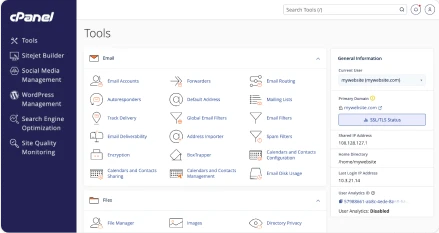
Use MultiPHP Manager in WHM or cPanel to see the PHP version each domain runs, then identify every website on PHP 8.2 or an older PHP version.
The PHP versions available on a server depend on its operating system, installed packages, and hosting provider configuration. A hosting customer who can’t find the version they need should contact their provider.
How do I upgrade from PHP 8.2 to a supported version?
Choose the newest PHP version that your application, its extensions, and any required loaders support, starting from PHP 8.3. Install the latest patch release of the branch you choose, and test before switching production websites.
- Check compatibility: Confirm that the application, CMS, plugins, themes, and required PHP extensions support the target PHP version. Update components where necessary.
- Install the target version if needed: If the target PHP version isn’t installed yet, administrators can install it and its required extensions through WHM’s EasyApache 4 interface.
- Back up and test: Create a restorable backup and test the website on the target PHP version, ideally in a staging environment.
- Switch and verify: Use MultiPHP Manager in WHM or cPanel to change the production domain’s PHP version. Then check logins, forms, checkout, and scheduled tasks.
Schedule the work before the December holiday period. That leaves time to test and to fix compatibility problems that surface.
What are the options if a website cannot move off PHP 8.2 yet?
PHP ELS (Extended Lifecycle Support) provides security-patched PHP builds, so a website can stay on PHP 8.2 or an older PHP version while the upgrade is planned.
The packages come from CloudLinux/TuxCare, and cPanel provides the integration for installing and managing them.
Standard PHP 8.2 updates in cPanel & WHM follow the upstream PHP lifecycle and end with it. Updates through PHP ELS after that date depend on TuxCare maintaining coverage for the version.
PHP ELS addresses vulnerabilities in the PHP runtime. It does not fix vulnerabilities in website code, plugins, or themes, and it does not make an older application compatible with a newer PHP version.
A PHP ELS subscription does not switch websites automatically. The setup needs an active subscription and a switch of each affected domain to the corresponding secured PHP build. Administrators with several servers can automate the installation with the install_tuxcare_els_php script.
Direct customers can purchase TuxCare Extended Lifecycle Support for PHP from the cPanel Store. Partners can purchase licenses through Manage2. The PHP ELS license already covers PHP 8.2 and is available to purchase now, so there is no need to wait until after end of life. A hardened PHP 8.2 version is also available now.
Do I need PHP ELS if my servers run CloudLinux or Imunify360?
A separate PHP ELS license is unnecessary when a server already has equivalent PHP security coverage through CloudLinux or Imunify360.
- CloudLinux OS with covered ALT-PHP/HardenedPHP: legacy PHP security patches are included with the CloudLinux license. CloudLinux also provides patched legacy EA-PHP packages for use with MultiPHP Manager. Customers do not need to purchase standalone PHP ELS for that same coverage.
- Imunify360 with a valid license: Hardened PHP/ALT-PHP is available without a separate PHP ELS license key, provided it is installed and configured.
What does PHP 8.2 end of life mean for hosting providers and their customers?
For hosting providers, every customer on PHP 8.2 needs a supported PHP version or extended coverage. The versions available on a server depend on its operating system, installed packages, and provider configuration, so providers decide which supported versions their customers can move to.
For end users, the work is 3 steps: identify which websites run PHP 8.2, update applications for the target PHP version, and contact the hosting provider if the required version is unavailable.
What should I do next?
Identify your PHP 8.2 websites and move them to the newest PHP version your applications support, starting from PHP 8.3. For websites that cannot be upgraded in time, arrange PHP ELS or confirm CloudLinux or Imunify360 coverage. Direct customers can purchase TuxCare Extended Lifecycle Support for PHP through the cPanel Store, and partners can purchase licenses through Manage2.
More information:
- PHP ELS guide in the cPanel documentation