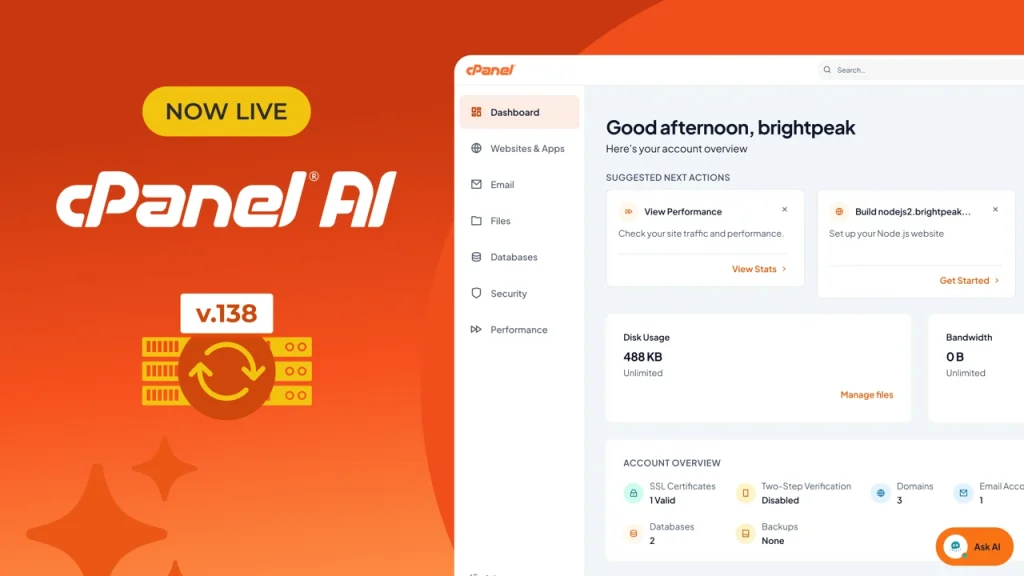
cPanel & WHM version 138 is now available, and it marks the most significant change to the cPanel experience in years.
This release delivers cPanel AI, the first set of AI capabilities built directly into the hosting platform, alongside Meridian, a new goal-based interface designed to make those workflows part of everyday hosting work.
AI has changed how websites and applications get built. Developers build faster with AI coding assistants, small businesses turn to AI-assisted website creation, and agencies produce client work in less time. Every one of those projects still needs domains, DNS, runtimes, databases, email, security, and ongoing management. Hosting is where AI-assisted work becomes a running site or application.
Version 138 puts those workflows on the server. Users can create a site from a description, deploy an AI-built application to production, ask account questions and get answers from inside the panel, and connect approved AI clients under permissions they control. Hosting providers can decide which of these capabilities are available and when.
Top Release Highlights
Meridian – A New Goal-Based Interface
Meridian organizes cPanel around what users are trying to accomplish. Six task hubs cover websites, email, files, databases, security, and performance, each with a dedicated workspace. The Dashboard surfaces account health indicators for SSL status, backup recency, and cPanel version, an Action Required section for items such as expiring certificates or unresolved domains, and suggested next steps based on current configuration. A command palette (Cmd/Ctrl + K) gives experienced users keyboard access to common actions, and light and dark modes sync across devices.
Grouping related tools into task hubs reduces navigation steps, makes features easier to find, and improves adoption of capabilities customers already pay for.
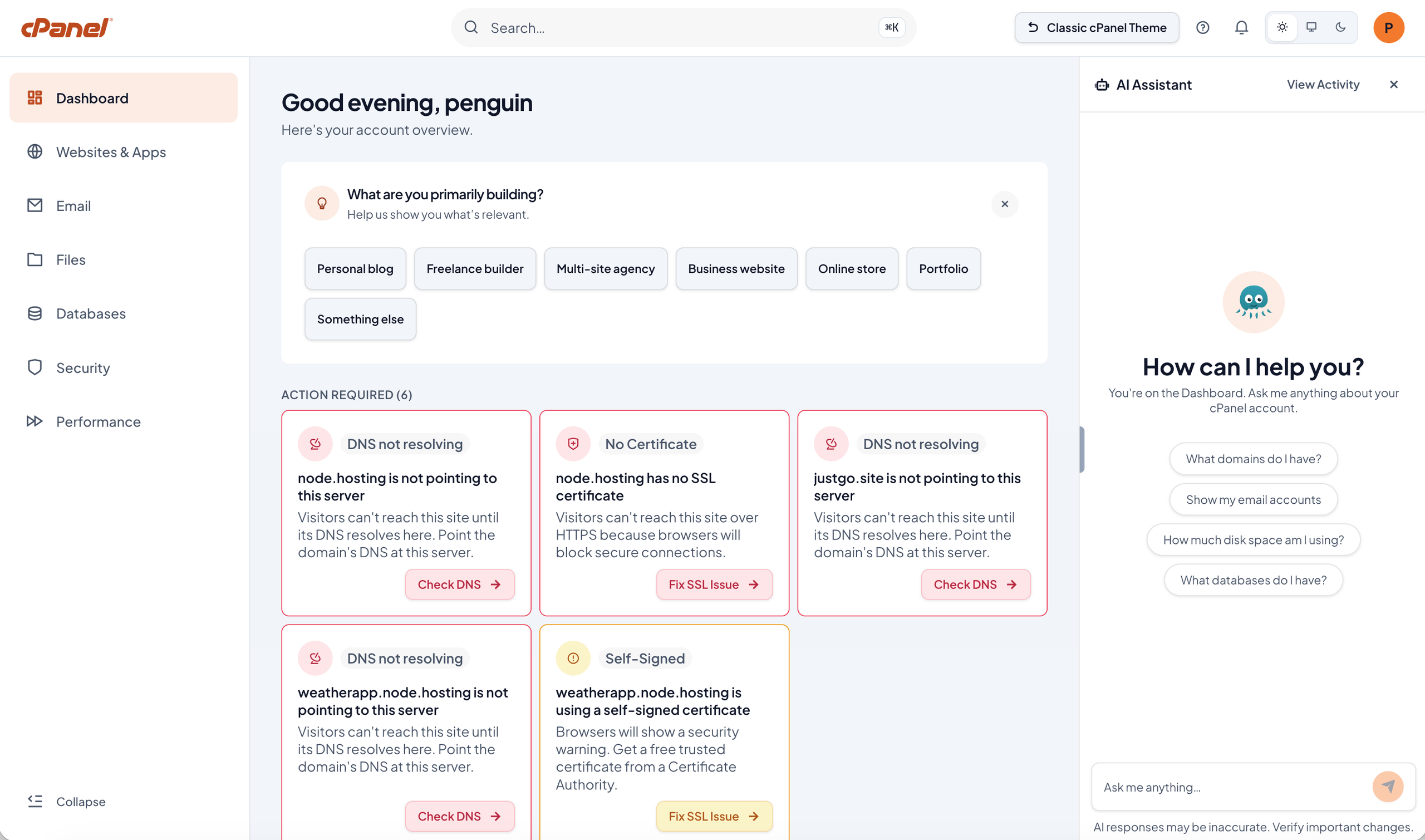
New accounts start with Guided Setup, which covers domain configuration, website creation, and email in one flow. It skips steps that are already complete (DNS prompts for a domain that points to the server, for example), verifies that the site is reachable before launch, and offers a dedicated path for users migrating an existing site. The flow is built to take a new account from first login to a published website in under ten minutes.
Meridian ships as an opt-in theme alongside Jupiter. Both interfaces share the same account data, APIs, and configuration files, so users can switch between them at any time while websites, email accounts, and databases keep running. Administrators can preview Meridian through the WHM Feature Showcase, enable it during account creation, or set it as the default theme for specific hosting packages.
Preview Meridian in WHM and decide which packages should use it by default.
AI Assistant
Users ask questions about their account in plain language and receive answers grounded in cPanel documentation and product knowledge. The assistant explains administrative tasks, provides step-by-step guidance, and diagnoses common account issues from available account data, such as identifying why email delivery has failed or when an account has reached its disk quota.
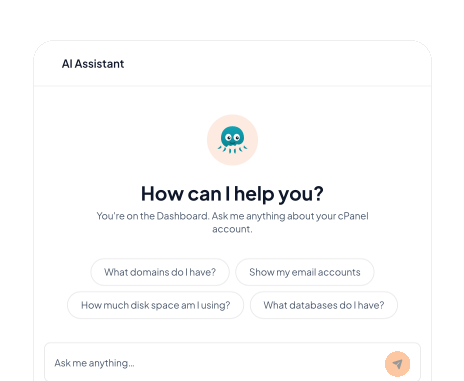
Resolving routine questions inside the panel reduces documentation searches and Level 1 support tickets. The AI Assistant requires Meridian and separate enablement by the server administrator through panel.ini.
AI App Hosting
AI coding tools produce working applications in minutes, while moving those applications into production still requires runtime configuration, deployment knowledge, and command-line work. AI App Hosting closes that gap.
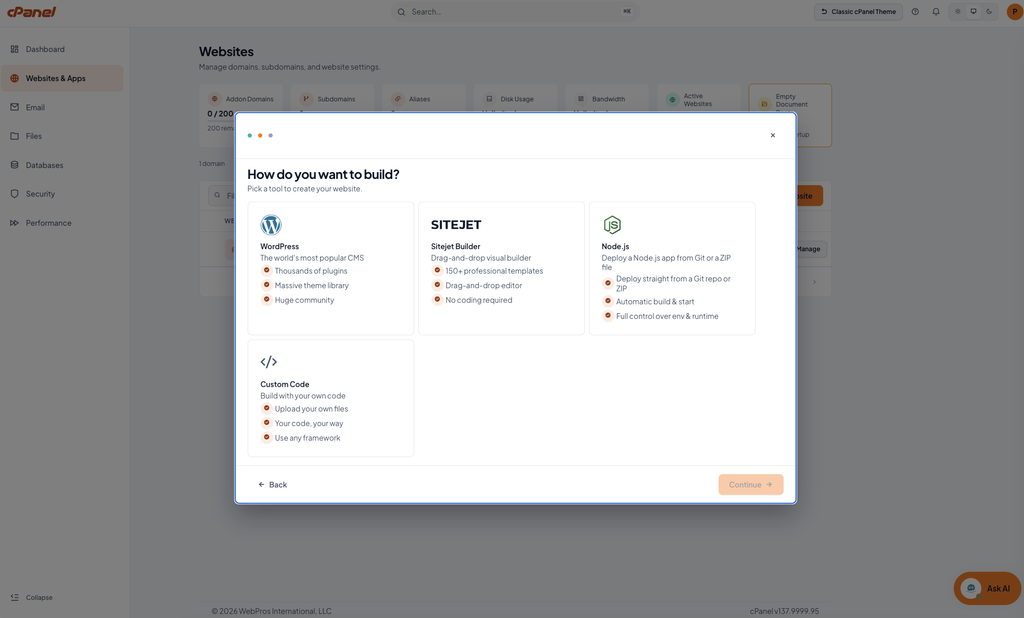
Deploy Node.js applications from a ZIP archive or a Git URL. cPanel detects common frameworks, configures the runtime, applies deployment defaults, and manages reverse-proxy routing to a live URL. Applications built with AI development tools such as Claude, Lovable, Bolt, v0, and Replit run on the server without SSH access or manual setup, which opens modern application hosting to a wider set of customers. Providers can support these workloads alongside traditional websites on their existing infrastructure. Availability is controlled by the Node.js AI Toolkit flag in WHM Feature Lists, with expanded framework detection planned for a future release.
MCP Support
AI agents are moving past generating code and answering questions, and are increasingly taking actions on behalf of users. That raises a direct question for anyone running infrastructure: what should an agent be allowed to do on a live server?
Model Context Protocol (MCP) support connects approved AI clients, including Claude Code and Claude Desktop, to cPanel through scoped permissions. User-level MCP bounds agent actions to the user’s home directory and requires a connected WebPros Account. Admin-level MCP is available separately for server administrators through WebPros Dashboard.
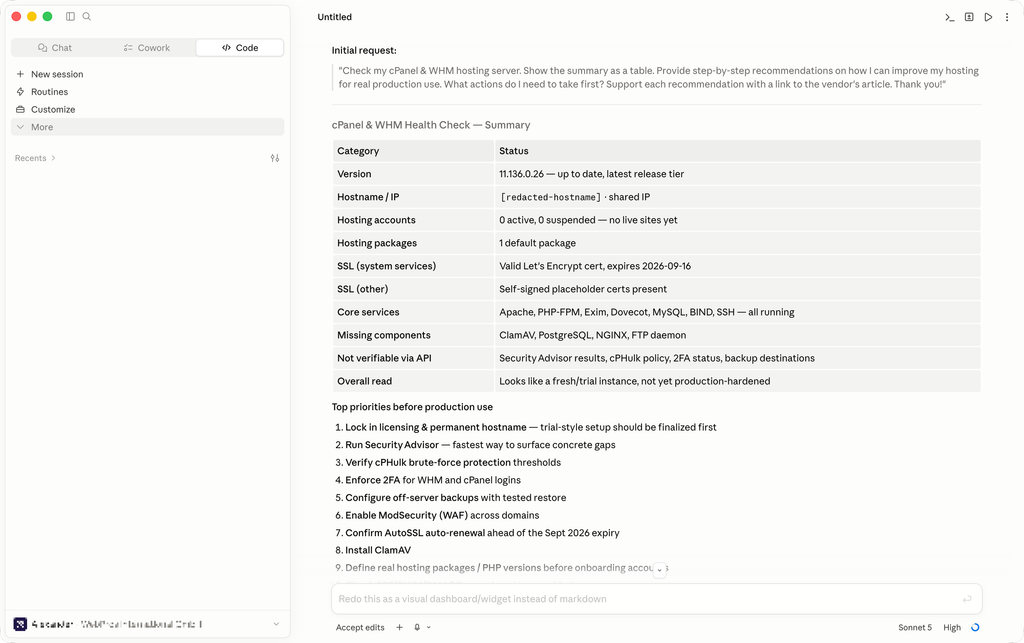
Permission boundaries, least-privilege access, and audit trails give administrators visibility into what agents can reach and which actions they perform, so AI access to infrastructure stays governed by the same controls as any other integration.
Nova
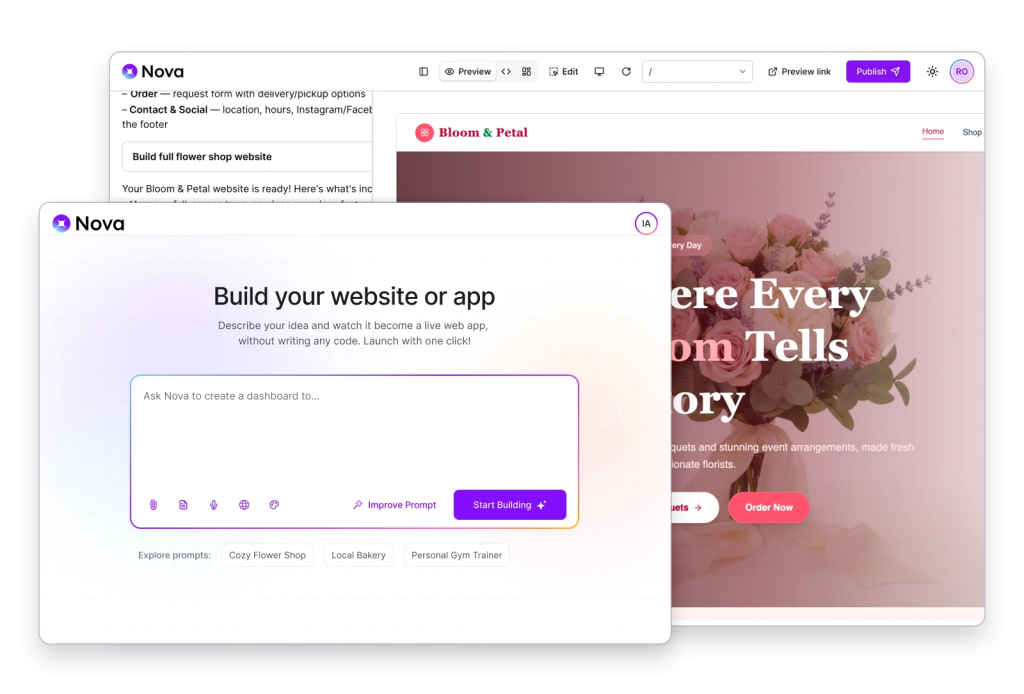
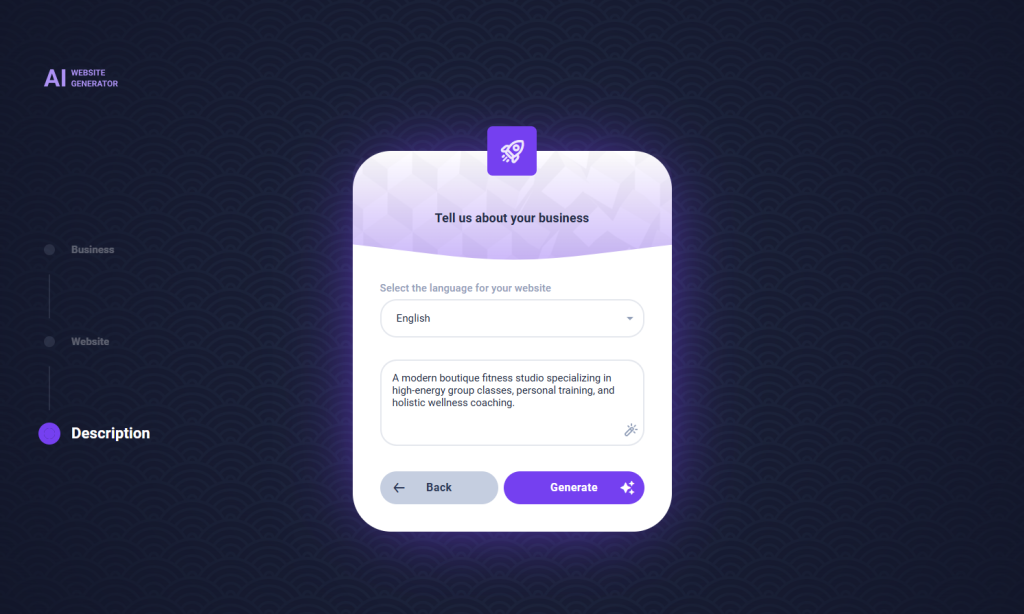
Describe the website or application you want, and Nova generates a working project, provisions it within the hosting account, and publishes it to the cPanel server. Generation and deployment happen in one place, so the project runs on the server it was built on. Nova is available wherever new projects begin, including onboarding, website creation, and application deployment.
Nova for WordPress
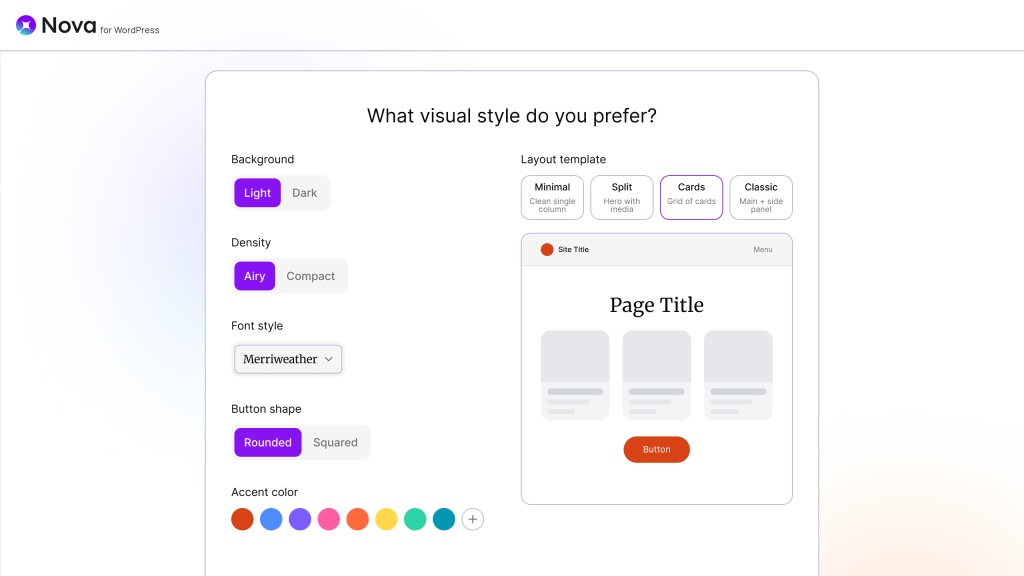
Nova for WordPress builds on the standard WordPress editor, so generated pages use the same Gutenberg blocks administrators work with every day and editing continues in the familiar workflow. It creates pages, content, and configuration from a single prompt, replacing hours of theme and page setup with a round of refinement.
Sitejet AI
Sitejet AI produces a complete first-draft website from a short description of a business, then opens it directly in Sitejet Builder for refinement and publishing. Customers start from a working draft and finish in the same tool they will use to maintain the site. Sitejet AI is available in both Meridian and Jupiter.
More Updates for Server and Account Management
Domain Recommendations and Purchase (Experimental)
cPanel can now recommend available domains to users and route purchases through your WHMCS installation. This keeps domain sales within your billing system and creates an additional revenue path at the moment customers are already setting up a site. Review the experimental status before enabling this in production.
Domain Renaming
Rename primary, addon, and parked domains directly from the Domains interface. Renaming in place removes a common support escalation and the manual work required to correct or rebrand a domain.
WebPros Dashboard Plugin
Connect servers to WebPros Dashboard for multi-server status, alerts, and tools in one view. Teams running more than a handful of servers get consistent visibility without logging into each machine. Link your fleet and set up alerting for the conditions that matter most to your operations.
Exim Spam Action Configuration
Administrators can configure how Exim handles forwarded mail flagged by Apache SpamAssassin. Controlling this behavior at the server level helps protect forwarding reputation and reduces the risk of downstream providers rejecting mail. Review your current forwarding policy and set the action that fits your deliverability requirements.
API Additions
New UAPI and WHM API 1 functions cover domain renaming, document roots, and PHP error logs, giving providers direct automation paths for the workflows introduced in this release. Update provisioning and support scripts to use the new endpoints where they replace manual processes.
Short-Term SSL Reissue
Certificates purchased through the cPanel Store can be reissued for short-term use, supporting the industry shift toward shorter certificate lifespans introduced in earlier releases.
Built for the Next Phase of Hosting
cPanel AI was shaped by requirements and feedback from hosting providers, system administrators, agencies, and developers running production cPanel environments. It reflects a shift underway from code-first workflows toward AI-assisted development and increasingly autonomous infrastructure operations.
Version 138 is the first release of cPanel AI, and the capability set will keep expanding across deployment, infrastructure management, and support.
Learn More
For full technical details, review the complete v138 release notes.