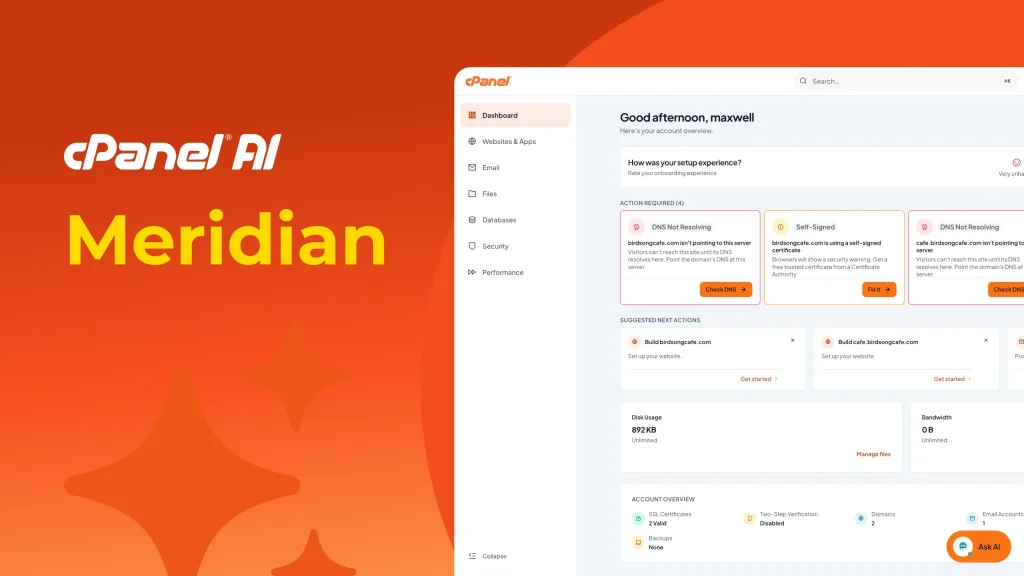
cPanel AI is building toward a simple goal: hosting that keeps up with how sites and applications get built and run in the AI era, powered by AI at every step. Meridian is the first place where vision becomes real.
Feedback from the cPanel community has made one thing clear: users want the power and control they’ve always relied on, combined with a more modern, intuitive experience that helps them complete common tasks faster.
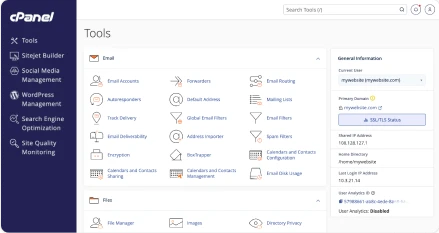
Meridian is cPanel, organized around what you are trying to accomplish. It introduces a redesigned, goal-oriented interface for cPanel with guided onboarding and task-based workflows that make it easier to move from account setup to a working website and ongoing management. Instead of navigating a long list of individual tools, users can work through experiences organized around real objectives – such as managing websites, configuring email, improving security, and monitoring performance.
Built on the cPanel Foundation You Trust
Meridian builds on the existing cPanel foundation rather than replacing it. It ships alongside the Jupiter interface as an optional theme starting in cPanel v138, with both experiences sharing the exact same account data, APIs, and configuration files.
- Zero-Downtime Theme Switching: Users and administrators can move between Meridian and Jupiter at any time without affecting live websites, email accounts, databases, or existing settings.
- Preserved System Tools: Core platform functionality remains intact. Power-user utilities like Terminal, Cron Jobs, and Raw Access Logs remain accessible directly or via Jupiter.
- Full Administrator Control in WHM: Hosting providers can preview Meridian via the WHM Feature Showcase, set it as the default interface for specific hosting packages, or manage feature permissions via WHM Feature Lists.
AI built in with the Meridian Experience
As AI becomes an integral part of application development, hosting needs to evolve beyond supplying raw infrastructure. Meridian brings AI-assisted workflows directly into the cPanel interface.
- AI App Hosting (Node.js Engine): Enables deployment of Node.js applications created with AI coding tools like Claude, Lovable, Bolt, v0, or Replit. Controlled via the Node.js AI Toolkit flag in WHM Feature Lists, Meridian ingests ZIP archives or Git repositories, detects common frameworks, configures runtimes, and manages reverse-proxy routing – with expanded framework detection planned for a future release.
- User-Level Model Context Protocol (MCP): Delivers permission-scoped access for AI agents through a connected WebPros Account, ensuring automated actions remain safely bounded to individual user directories (/home/username). Requires both Meridian and a WebPros Account. A separate Admin-level MCP tier is also available independently of Meridian for server administrators via the WebPros Dashboard.
- Sitejet AI: Generates editable website drafts from a brief text prompt, allowing users to continue refining their site inside the Sitejet builder across both Meridian and Jupiter.
- Integrated AI Assistant: Exclusive to Meridian, this built-in assistant provides contextual UI guidance and answers support questions directly inside cPanel, helping users complete routine tasks while mitigating Level 1 support tickets. Requires separate enablement by the server administrator via panel.ini configuration flags.
- Nova & Nova for WordPress: An AI-powered site builder embedded directly in Meridian’s onboarding and website creation flows. Users describe their site in a brief text prompt, and Nova generates a complete, editable website draft – either as a standalone site or as a fully configured WordPress installation. Currently only available to cPanel Partners.
All these features are exclusively available to cPanel Partners as part of Early Access immediately.
More about Meridian
Guided Onboarding Flow
New accounts begin with an adaptive, self-evaluating setup pipeline designed to take a new account from first login to a published website in under ten minutes.
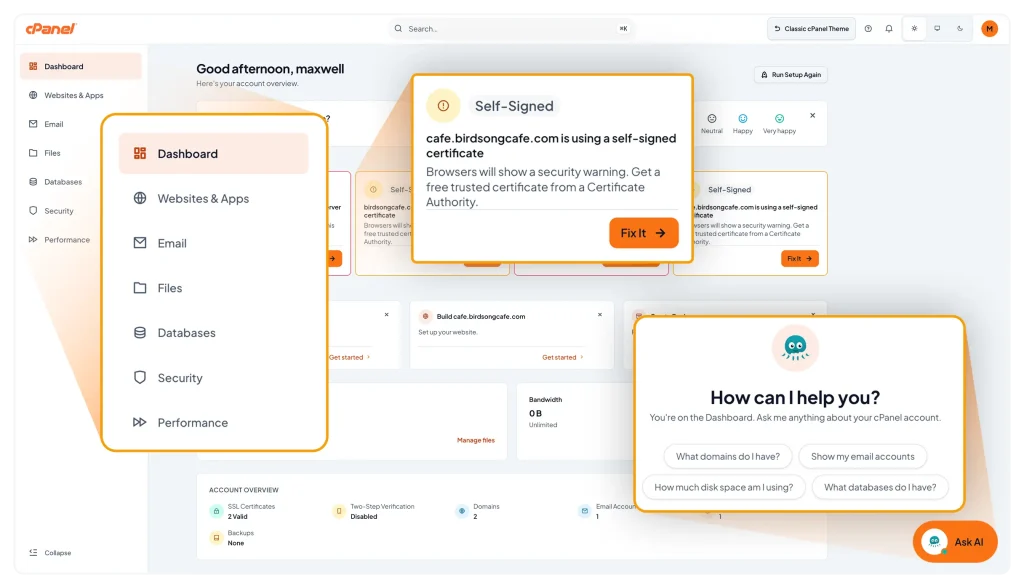
- Conditional Logic: Evaluates domain records, site builders, and hosting plan capabilities automatically. For instance, if a domain already points to the server, DNS configuration prompts are automatically skipped.
- Three Flexible Entry Modes:
- Guided Setup: Walks step-by-step through domain configuration, email, and site creation.
- Move an Existing Website: Focuses specifically on migrating an existing site.
- Expert Mode: Skips onboarding entirely and opens the main dashboard immediately.
- Pre-Flight DNS Verification: Verifies site reachability prior to launch. If DNS propagation is still pending, it displays the required nameservers so users know exactly what remains to be done.
Workspace Restructuring: Six Workspaces Built around Real Tasks
Instead of presenting more than a hundred individual tools, Meridian groups related functionality into six dedicated, objective-based workspaces to eliminate context switching:
| Workspace | Core Tools & Capabilities Included |
| Websites | Domains, DNS records, SSL/TLS certificates, PHP handlers, WordPress, and Sitejet |
| Accounts, forwarders, spam filters, autoresponders, and Webmail | |
| Files | File Manager, FTP accounts, automated local/remote backups, and restore utilities |
| Databases | MySQL databases, remote database access, and user privileges |
| Security | SSL/TLS management, Web Application Firewall (WAF), 2FA, SSH keys, API tokens, and IP blocking |
| Performance | Bandwidth logs, disk and inode resource usage, and custom php.ini directives |
A Dashboard that Prioritizes what Matters
After onboarding, users arrive at a personalized dashboard that provides immediate visibility and faster day-to-day administration:
- Account Health Indicators: Surface real-time status checks for SSL health, backup recency, and the running cPanel version.
- Actionable Insights: An Action Required section highlights urgent issues (such as expiring SSL certificates or unresolved domains), while Suggested Next Actions recommends logical next steps based on current configurations.
- Command Palette: Experienced administrators can press Cmd+K (Mac) or Ctrl+K (Windows) to search and trigger common actions, such as “Create Email Account” or “Manage SSL”, directly from the keyboard without navigating visual menus.
- Custom Appearance: Includes light and dark modes with preferences synchronized across devices.
Availability & Deployment
Meridian will be available as an opt-in theme in cPanel v138, starting September. Watch your inbox for specific roll out information. System administrators can preview the interface via the WHM Feature Showcase or provision it as the default interface for hosting packages.
Explore the broader cPanel AI platform to see how AI-powered website creation, deployment, and management come together in a single experience.
Frequently Asked Questions
What is cPanel Meridian?
Meridian is a goal-oriented interface theme for cPanel that organizes account management into six task-focused workspaces, adds guided onboarding, and integrates native AI deployment tools.
Does switching between Meridian and Jupiter risk data loss?
No. Switching interfaces changes only how cPanel is visually presented. Domains, email accounts, databases, files, and server configurations remain identical and unaffected.
How do system administrators enable Meridian?
Meridian is available as an opt-in theme in cPanel v138+. Administrators can preview it through the WHM Feature Showcase, enable it during account creation, or set it as the default theme for hosting packages in WHM.
Which AI features require the Meridian theme?
The AI Assistant is exclusive to Meridian and requires separate enablement via panel.ini. AI App Hosting and User-level MCP ship with Meridian and require activation by an admin (Node.js AI Toolkit flag and WebPros Account respectively). Nova is embedded in Meridian but also available standalone. Sitejet AI is available independently across both Meridian and Jupiter.
How quickly can a site be launched with Meridian?
The guided onboarding workflow is engineered to take a new account from initial login to a published, reachable website in under ten minutes.