By Ivan Postnikov, Product Manager, Website Tools at cPanel.
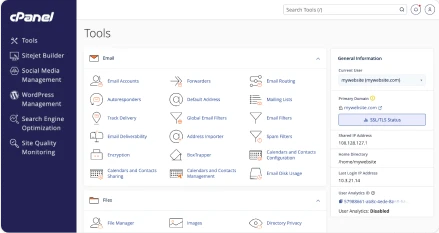
Getting an AI-built app from a working preview onto your own domain can still mean an unfamiliar hosting setup. AI App Hosting gives Node.js projects a guided deployment path in cPanel’s Meridian interface, using a ZIP file or Git repository, with an additional route through a compatible AI agent connected over MCP.
TL;DR
- AI tools are changing how people create apps. Hosting needs to make the next step, running and maintaining them, more approachable.
- AI App Hosting brings source deployment, container-based execution, app controls, logs, and MySQL connections into cPanel.
- Start during a new account’s initial onboarding in Meridian, or later from Websites & Apps. You need cPanel & WHM 138 or later and AI App Hosting enabled by your provider; newer capabilities require the corresponding plugin updates.
Why does AI-assisted development change what hosting needs to offer?
AI-assisted development changes the starting point for a hosting customer. Someone can arrive with an app they have already built and tested in another tool, looking for somewhere to run it. That makes the handoff from creation to hosting a product experience worth designing.
The 2026 Stack Overflow Developer Survey reports that 73% of respondents who use AI coding assistants or agents use them daily. The report also describes a gap between using AI to generate code and using it to deploy, operate, or troubleshoot production systems. Creating the code is becoming routine; the work after generation still needs attention.
For me, the implication is straightforward: hosting needs to meet customers where their projects begin. A developer may prefer a Git repository, while someone building their first app may have an exported archive. Both need a clear route to a live URL and a way to make the next change. The creation tool should not determine whether that customer can use their existing hosting account.
Why is Node.js relevant to this shift?
PHP has long been central to web hosting, and it still leads. But the mix is changing: W3Techs records PHP’s share falling from 76.7% in January 2024 to 69.3% in October 2026 among websites whose server-side language it can identify. For me, that reinforces the case for broadening what hosting offers: continuing to serve PHP websites well while making room for applications built on other runtimes.
Node.js is relevant because prominent AI builders produce JavaScript applications with server-side capabilities. v0 defaults to Next.js. Lovable documents a shift from React/Vite apps that build to static files to TanStack Start for new apps created from May 13, 2026, adding server-side code. TanStack Start provides a Node.js deployment path.
That changes what a hosting service must do. Static files can be served directly; server-side applications also need their code to run when visitors use them. Node.js may be part of the build process for either, so a JavaScript project does not automatically require a persistent Node.js server. The practical question is what the exported application needs to build and run.
Node.js also has an established developer community: it ranks first in the 2026 Stack Overflow Developer Survey’s web-technologies category. For hosting providers, that makes it a practical place to invest. The same deployment experience can serve developers already building with Node.js and customers discovering these frameworks through AI tools.
What opportunity does this create for hosting providers?
The opportunity is to support more of the app’s life after creation. For a freelancer or small business, a working preview is followed by practical questions: Where will it run? How will it reach a database? What happens when an update fails?
Customers may already trust their provider with domains, email, and websites. I see an opportunity to extend that relationship to the apps they build with AI, with deployment and ongoing management in the same place. The value is in making familiar hosting useful for a new kind of project.
There is also a choice about how customers interact with hosting. Some want to review settings in a panel; others want an external AI agent to carry a task forward from the development environment. My product view is that both should reach the same hosting capabilities. That makes the API part of the customer experience alongside the interface.
Our cPanel feature-priority survey reinforced the need: improved Node.js development tools received 488 votes from 3,300 respondents, or 14.8%. This feedback, alongside the changes in app creation, shaped what we built.
What did we build, and what does it change?
AI App Hosting deploys existing Node.js projects and provides controls for running them, whether their code was written by hand or generated with AI.

cPanel already offered Node.js support through Application Manager and Passenger. AI App Hosting brings source deployment and app management together in Meridian, backed by the same application-hosting API used by external AI agents.
Apps use rootless containers managed by Podman, with resource limits. The guided deployment handles the container and reverse-proxy setup, so customers can focus on their application.
How do I deploy from a ZIP file or Git repository?
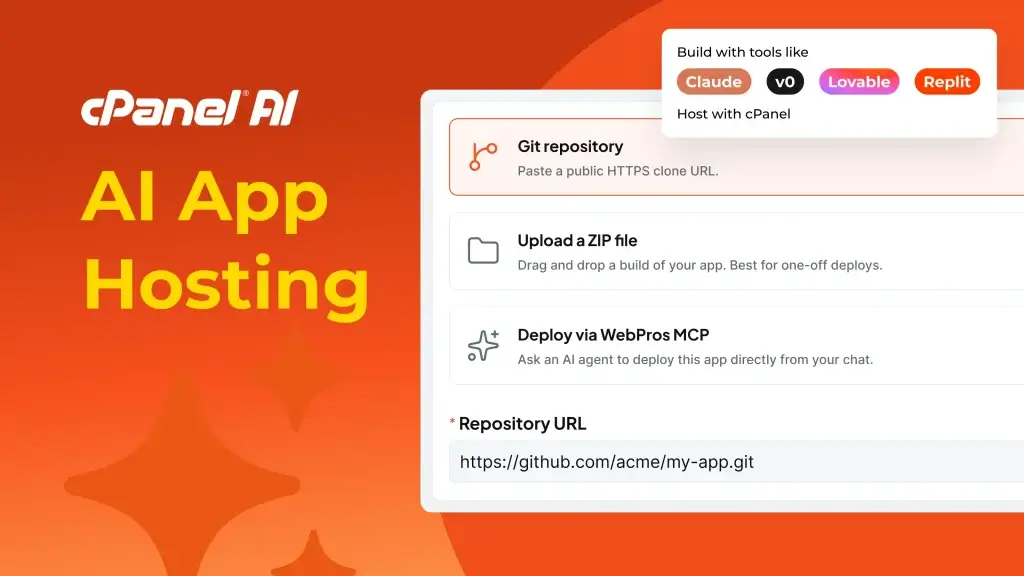
Choose AI App Hosting during initial Meridian onboarding or later from Websites & Apps. You can also deploy through an external AI agent connected to WebPros MCP, using the same underlying hosting capabilities. The browser workflow is outlined below; the section on external AI agents explains how to connect. The deployment guide covers the full sequence:

- Choose a domain. Follow the onboarding prompts, or use Add Website on an existing account.
- Provide the source. Upload a ZIP or enter a Git clone URL. Private repositories use guided SSH-key setup.
- Review and deploy. Check detected settings and add environment variables or a database when needed.

Deploying to an existing domain changes what visitors see there; its existing files remain.
Apps may also depend on external authentication, storage, or databases. Deploying the source does not move those services into cPanel.
What happens after the first deployment?
The app’s Manage view provides configuration, environment variables, and logs, plus start, stop, and restart controls for server apps.

Use Redeploy to pull updated Git code, rebuild, or apply configuration changes. App Logs provides output you can refresh or download. The management guide explains the controls.
Starting from AI App Hosting 1.3.5-1, with Meridian 1.4.0-1 or later, you can create or link a MySQL database and supply connection details through environment variables. The app must use those values; this does not migrate an external database.
Can an external AI agent deploy the app for me?
An external AI agent, such as Claude Code, can deploy through WebPros MCP. This is separate from Meridian’s embedded AI Assistant. MCP connects the agent to cPanel’s tools.
Choose Deploy via WebPros MCP and follow the connection guide to link your WebPros account and authenticate the agent.
The agent needs access to your project and the tools and account permissions required to transfer files and deploy.
How do providers make AI App Hosting available?
Providers enable Web Apps through WHM Feature Manager and the feature lists used by their hosting packages. The server also needs the required components and configuration.
AI App Hosting is included in cPanel. Providers decide which hosting plans offer access and what those plans cost.
What are we working on next?
Our roadmap includes improvements to deployment, day-to-day management, and app reliability. Alongside package-manager controls and curated apps to make getting started easier, here are two highlights from our near-term and longer-term plans:
- Self-healing for recoverable failures. We’re adding automatic health checks and diagnosis to detect when an app stalls or stops, then restart it when recovery is appropriate. Retry limits will prevent repeated restart loops, and notifications will let you know when action is needed. Health status and incident history in Meridian will help you understand what happened.
- Python support in AI App Hosting. Looking further ahead, we’re planning to bring Python applications into the guided hosting experience in 2027.
We’ll share these improvements in the release notes as they become available.
How can I try AI App Hosting?
Choose AI App Hosting during Meridian onboarding or from Websites & Apps on an enabled cPanel & WHM 138 or later account. Check the release notes for newer capabilities.
Deploy the project, open its URL, and try an update. That complete cycle is what we want to make easier. Share what worked and where you got stuck through the AI App Hosting feedback page; it helps us decide which parts of the experience need attention next.